Cartography is the craft of designing and drawing maps, whether real world or fantasy, and beginners can start for free with digital software or spend $20 to $30 on pens for the traditional pen and paper path. Most people pick one of two communities: real world map nerds who use tools like QGIS, or fantasy and tabletop worldbuilders who use art focused map software. Both start small, with a single map, before any real cost shows up.
Jump to:
- What Cartography Actually Is
- What It Costs to Start
- The Traditional Path: Pen and Paper
- The Digital Path: Software and Apps
- Foundational Concepts Every Mapmaker Needs
- How to Make Your First Map
- Common Cartography Mistakes
- Where to Share Your Maps
- FAQ: Cartography for Beginners
Disclosure: some links on this page are Amazon affiliate links. As an Amazon Associate I earn from qualifying purchases.
What Cartography Actually Is
Cartography is the practice of representing a space, real or imagined, as a map. That covers everything from a National Park Service style trail map to a hand drawn continent for a tabletop campaign.
The hobby splits into two overlapping communities. Real world cartographers work with actual geography, using GIS (geographic information system) data to build accurate maps of cities, trails, or regions. Fantasy and tabletop cartographers draw invented worlds for novels, games, and worldbuilding projects, where accuracy matters less than atmosphere and readability.
Most beginners land in the fantasy and tabletop side first, since it needs no prior geography training and rewards a bit of artistic sense. The real world side has a steeper technical learning curve but overlaps heavily with GIS work used in urban planning, environmental science, and surveying.
What It Costs to Start
Cost to start: $0-$150 depending on path. Difficulty: Easy to moderate. First step: try a free tool first, either Azgaar’s Fantasy Map Generator for fantasy maps or QGIS for real world maps, before spending anything.
The digital path can be entirely free. Azgaar’s Fantasy Map Generator runs in a browser at no cost and instantly generates a full fantasy world you can then customize. QGIS, the standard free and open source GIS software, costs nothing and is the same tool many professional cartographers and urban planners use.
Paid digital software adds convenience and polish. Inkarnate, a popular browser based fantasy map tool, costs $5 a month or $25 a year for its Pro tier, which unlocks the full asset library and high resolution exports. Wonderdraft, a downloadable fantasy map program, is a one time purchase of about $30 with no subscription.
The traditional path costs more upfront because it needs physical tools. A basic set of fineliner pens, like an 8 pen Sakura Pigma Micron set in assorted tip sizes, runs $18-$22. Add a sketchbook or heavier drawing paper for $8-$15, and a ruler or straightedge for a few dollars, and a full traditional starter kit lands around $30-$50.
The Traditional Path: Pen and Paper
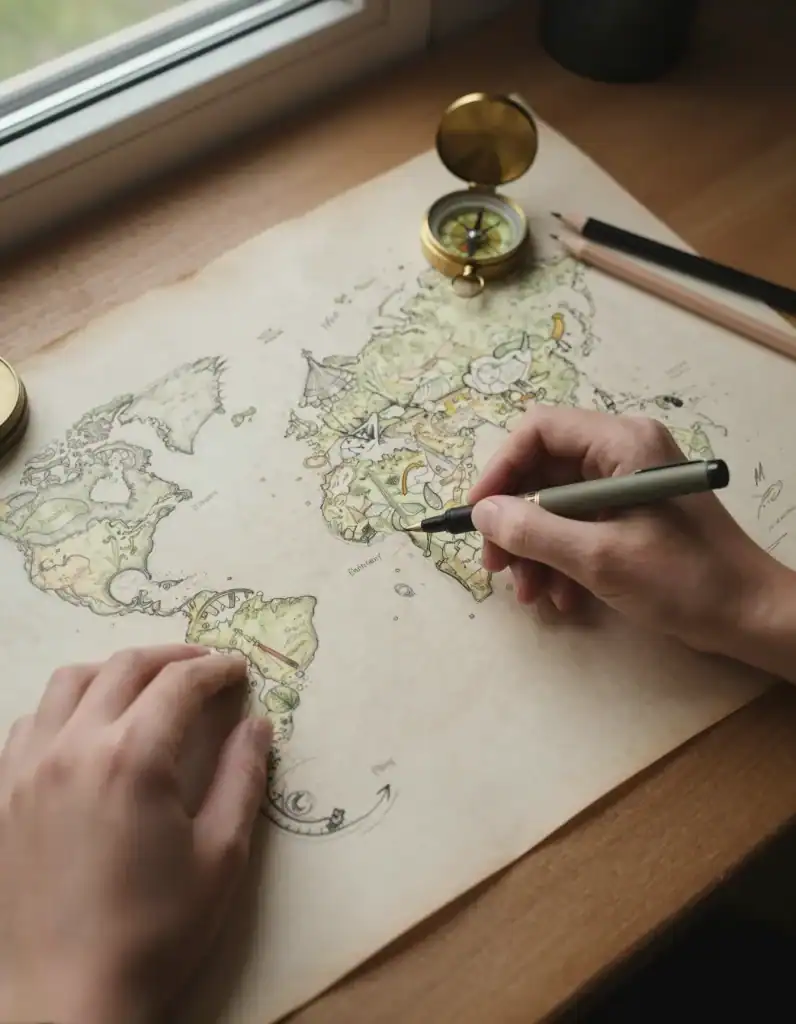
Pen and paper cartography is the oldest version of the hobby and still the most portable. No screen, no software update, just a pen and a blank page.
Fineliner pens are the standard tool because their tip size stays consistent no matter how hard you press, which keeps linework clean. Sakura Pigma Micron and Copic Multiliner are the two most recommended brands among hobbyist cartographers, both sold in multi pen sets with a range of tip widths for coastlines, borders, and fine detail. A basic ballpoint or gel pen, like a Pilot Precise V5, works fine for rough drafts and practice sketches before committing to ink on a final piece.
Paper matters more than beginners expect. Regular printer paper works for practice, but it buckles under heavier inking or watercolor washes. A dedicated sketchbook with at least 90 pound paper holds up much better once a map gets detailed.
The tradeoff for going traditional is that mistakes are permanent and revisions are slow. Many hobbyists sketch their layout in pencil first, then ink over it once the composition is settled, which avoids most of the frustration of a first draft gone wrong.
The Digital Path: Software and Apps
Digital tools remove the fear of a permanent mistake, since almost everything can be undone, layered, or redrawn.
Azgaar’s Fantasy Map Generator is the most common starting point because it is free and generates a complete, editable world in seconds, giving a beginner something to tweak rather than a blank page to fill. It is built for fantasy and tabletop maps specifically, not real world accuracy.
Inkarnate and Wonderdraft are the two most popular paid tools for fantasy cartography. Inkarnate runs in a browser and leans toward a painterly, hand drawn look with a large stamp and texture library. Wonderdraft is a downloadable desktop program with a similar asset based workflow and a one time cost instead of a subscription.
QGIS is the standard choice for anyone drawn to the real world side of the hobby. It is free, professional grade GIS software capable of working with real elevation, boundary, and satellite data, and it has a large enough user base that tutorials for beginners are easy to find.
Foundational Concepts Every Mapmaker Needs
Scale determines how much detail a map can show. A map of a single town can include individual buildings, while a map of a continent has to simplify everything down to major features, and mixing scales inconsistently is one of the fastest ways to make a map look amateur.
Projection is the method used to flatten a round world onto a flat page, and every projection distorts something, whether that is size, shape, or distance. Most fantasy cartographers can skip formal projection math entirely, but real world mapmakers using QGIS need at least a basic understanding of which projection fits their region.
Symbology is the visual language of a map, meaning the colors, icons, and line styles used to represent different features. Consistent symbology, like always using the same icon for a city or the same line weight for a river, is what makes a map readable at a glance instead of confusing.
Layout covers the supporting elements around the map itself, including a title, a scale bar, a compass rose, and a legend explaining any symbols used. A map without a legend forces the viewer to guess what a symbol means, which is a common first mistake.
How to Make Your First Map
Pick a small, contained space for your first map rather than an entire continent or country. A single island, a town, or one dungeon level is large enough to practice on and small enough to actually finish.
Sketch the coastline or outer boundary first, in pencil if working traditionally or as a rough shape layer if working digitally. Keep this first pass loose. The goal is a general silhouette, not a finished edge.
Add major landmarks next: mountains, forests, rivers, or in a real world map, main roads and parks. Place these before smaller details so the overall composition stays balanced.
Decide on your color palette and apply it consistently across every feature of the same type. This is easier to fix early than after the whole map is colored in.
Add settlements, labels, or points of interest, keeping label text small and unobtrusive so it does not compete with the map art itself.
Build your legend and any supporting layout elements, like a compass rose, scale bar, or title block, once the map content itself is finished.
Step back and review the whole map at a smaller zoom or from arm’s length if working on paper. Details that looked fine up close sometimes read as cluttered or unbalanced at normal viewing size, and this is the point to fix that before calling it done.
Common Cartography Mistakes
- Starting with something too big. A first attempt at an entire continent almost always stalls out from sheer scope. Starting with one island or one town produces a finished map instead of an abandoned file.
- Inconsistent line weight or symbol use. Using a different river style or city icon each time you draw one makes a map look unfinished even when it technically is not. Pick a symbol system before starting and stick to it.
- Skipping the legend. A map with unexplained symbols asks the viewer to guess, which breaks the whole point of a map. Even a simple three line legend fixes this.
- Overcrowding with labels. Labeling every minor feature clutters a map fast. Reserve labels for the features that actually matter to whoever is using the map.
- Ignoring scale consistency. Drawing a mountain range the same size as a small hill because it looks more dramatic breaks the internal logic of a map and is one of the first things experienced mapmakers notice.
Where to Share Your Maps
The cartography hobby has an active online community built around sharing and critiquing work. The r/cartography subreddit leans toward real world and GIS style maps, while r/FantasyMaps is built specifically for tabletop and fantasy worldbuilding work.
The Cartography Assembly Discord server is a dedicated space for both real world and fantasy mapmakers to get feedback, and it is a good place to see the range of tools and styles other hobbyists are using. For the real world and professional side of the hobby, the International Cartographic Association runs conferences and publishes resources connecting hobbyists to more formal GIS and mapmaking training.
Cartography also pairs naturally with tabletop hobbies. If you are drawing maps for a tabletop campaign, a beginner’s guide to Warhammer miniatures or a guide to collecting miniatures as a hobby cover the tabletop side of the same worldbuilding hobby cluster. If the puzzle solving element of scale and layout appealed to you, the problem solving hobbies guide covers similar hobbies that reward planning and spatial thinking.
For more low cost creative hobbies in the same range, the productive hobbies you can do with your hands guide and the full roundup of art hobbies both cover similar starting costs and skill levels. You can also browse the master list of hobbies to find something to pair it with.
FAQ: Cartography for Beginners
Do I need to know geography to start cartography as a hobby?
No. Fantasy and tabletop cartography needs no geography background at all, since the whole point is inventing a world rather than depicting a real one. Real world cartography benefits from basic geography knowledge, but tools like QGIS come with enough built in data and tutorials that a true beginner can still get started.
Is digital or traditional mapmaking better for beginners?
Digital tools are generally easier for a true beginner because mistakes are undoable and free tools like Azgaar’s Fantasy Map Generator give you a finished map to edit rather than a blank page. Traditional pen and paper mapmaking has a steeper learning curve but appeals to people who want a tactile, screen free hobby.
What software do most hobbyist cartographers actually use?
Among fantasy and tabletop mapmakers, Inkarnate and Wonderdraft are the two most commonly recommended paid tools, with Azgaar’s Fantasy Map Generator as the most popular free option. Real world hobbyists most often use QGIS, which is free and also used professionally in GIS work.
Can cartography turn into paid work?
Yes, though it usually takes real skill development first. Fantasy cartographers sell commissioned maps to tabletop game designers, authors, and Dungeon Masters through sites like Etsy and DriveThruRPG, while real world GIS skills built through hobbyist QGIS work are directly relevant to paid urban planning, surveying, and environmental science jobs.